blankblank blank


Archive Page 29 of 106


Great Introductory GIS Tutorial And Screencast Series

The Department of Land Affairs, Eastern Cape, South Africa has created a terrific tutorial series on GIS called “introducing GIS”. PDF worksheets and video screencasts cover topics like vector and raster data, attributes, topology, coordinate systems, map production and spatial analysis in a clear and easy-to-follow fashion. The worksheets are freely distributable under the terms of the GNU Free Documentation License, while the screencasts are released under Creative Commons. While you can watch the screencasts in your browser, they are a bit small – I would recommend downloading them so that you can open them in a stand-alone video viewer that you can resize to larger dimensions for easier viewing. Right-click on the video link and choose “Save as”. For that matter, if you download all the screencasts and worksheets and put them on a DVD, you have a great educational resource to share and distribute.

The site has a custom Windows installer of the open source GIS Quantum GIS, including the data presented in the tutorials. However, Quantum GIS also runs on Mac and Linux, and they offer the tutorial data as a separate download; find the link at the bottom of the web page. For that matter, the Quantum GIS Windows installer they have is version 1.0.2, while the most recent stable release version for Windows is 1.2.0-1. So even if you have Windows, you may want to download the data separately, and install the most recent version of Quantum GIS using the osgeo4w installer.
Quick GPX Viewing In A Google Maps Interface With GPXViewer

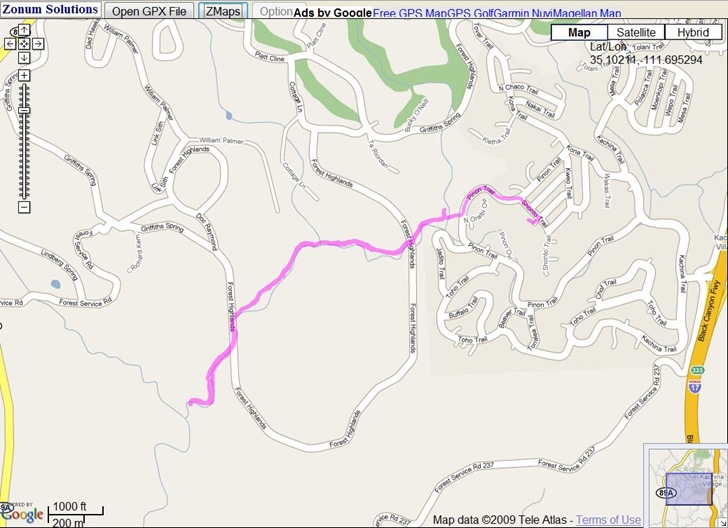
It’s nothing fancy, but Zonum’s GPXViewer website lets you upload a GPX file (points and tracks), and then quickly plots it in a Google Maps interface:

gpxviewerz

No editing, export or additional info in this app, just display; but Zonums has other web apps like Digipoint and MapTool for that.


Put Custom Startup Graphics On Your Garmin GPSr Unit

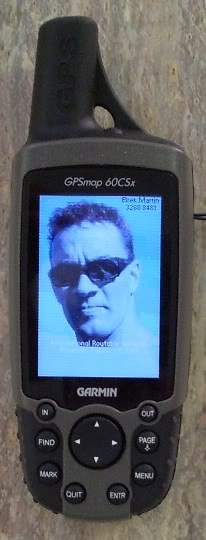
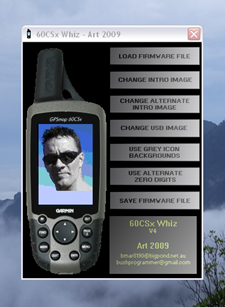
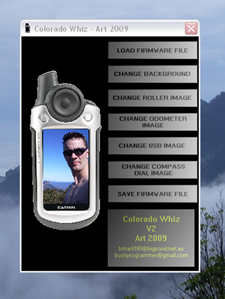
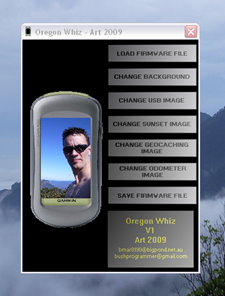
Art writes about his programs Garmin 60CSx Whiz, Garmin Colorado Whiz and Garmin Oregon Whiz, which modify the firmware on a Garmin GPSMap unit to display a custom startup image and other alternate graphics. 60CSx-supported units include:

  • Garmin 60Cx
  • Garmin 60CSx
  • Garmin 76Sx
  • Garmin 76CSx

The interface looks straightforward enough (graphics from the program website):

60CSxWhiz_Art colwhiz Oregon_Whiz

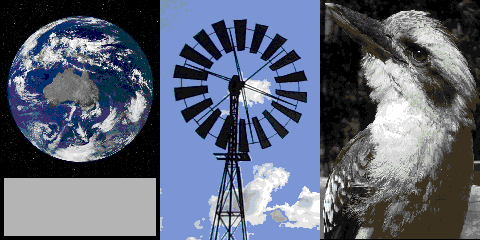
Sample graphic images are provided for the 60CSx whiz, but you can also use your own (love the kookaburra):

60CSx_Examples

And apparently they do what they’re supposed to:

60CSx_Mod

I say “apparently” because I’m too chicken to try it out, even though Art has a pretty solid hack programming resume. But if any braver souls want to give it a try and post their results in the comment section, have at it!


Open Source .Net Control For Map Display

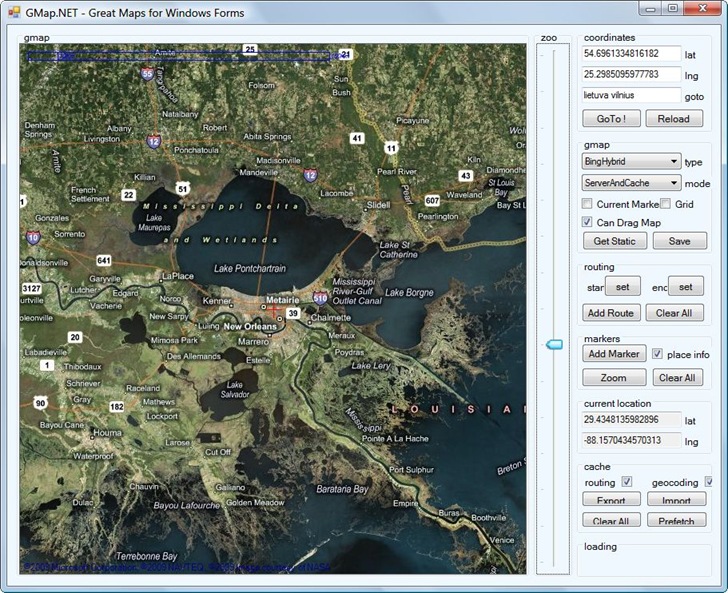
I’m not a .Net programmer (I’m still stuck in the primordial ooze that is VB6), but if you are, you might want to check out GMap.Net, a free and open source .Net control for embedding online map services in Windows applications. You have the option of displaying maps from Google, Yahoo, OpenStreetMap, Bing or ArcGIS, with tile cacheing an option for faster performance. Several demo apps are available to show what you can do:

GMap.Net

One quick tip: right-click and drag to pan the map (took me a while to figure that one out).


Get A Point Position With GetLatLon

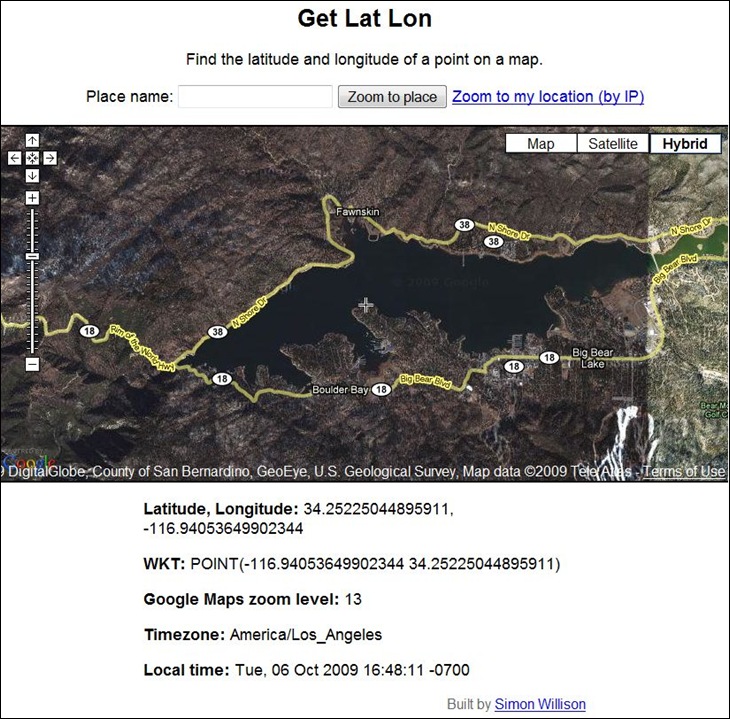
GetLatLon pretty much does exactly what its name implies – gives you the latitude/longitude of a point in a Google Maps interface. A crosshair at the center of the display marks the position for which coordinates are given at the bottom:

getlatlon

Digipoint can perform the same function, plus many more, but if all you need is a coordinate position, GetLatLon has a stripped-down simplicity that makes it easier to use. Just keep in mind that coordinate positions in Google Maps can be tens of meters off from the true position (see here and here).

Via Download Squad.


Embeddable US Demographics Map

As a demo of the ArcGIS API for Flex, ESRI has a new page that lets you create an embeddable/shareable map of demographic data by US county. Only seven datasets available now:

  • Median Household Income
  • Population Change 2000-2009
  • Population Density (per sq. mile)
  • Median Home Value
  • Unemployment Rate
  • Average Household Size
  • Median Age

Map creation is trivially easy – select the demographic dataset from a dropdown, zoom the map to the desired extents, set a map size in pixels, and you’re done; links to a map with your parameters, and code for an embeddable map, are generated automatically. Here’s an embedded map, scrollable and zoomable; unemployment rate is the defaultdataset, but you can choose other sets with the dropdown menu at upper right:

More datasets would be nice, as would control over colors and ranges …

Via GIS And Science.


Online Resources For Magellan Triton GPS Owners

The huge number of online support resources for Garmin handheld GPS units dwarfs the number of comparable sites for info and data for the Magellan Triton GPS line. Still, there are a few very useful sites to bookmark if you own this raster-compatible GPS unit.


The Big List Of Image Registration / Georeferencing Software

If you want to use a raster map image in a GIS program, it needs to be calibrated so that the software will know the geographic position of every pixel in the image. This calibration data can be embedded in the file, as in GeoTiffs and MRSID files, or external as in worldfiles. If you have a raster map image which doesn’t include this calibration data, you’ll need to create it yourself; this process is called  “image registration” or georeferencing. There’s a number of free programs that can perform this function, and I’ve put together a list of some of them below; if you know of others, please let me know and I’ll add them. And if I’ve included a program that doesn’t do georeferencing (very possible, since I haven’t used all of them), let me know that as well and I’ll drop it from the list.

One thing to keep in mind: some of the programs only work correctly if the map image is already in a specific map projection like UTM or geographic, and you use the same coordinate system to georeference the image. As a general practice, it’s always best to use the same coordinate system the map was created in to georeference it. For example, if you have a map in the UTM projection, and use geographic coordinates to georeference it, the resulting calibration is unlikely to be accurate over the entire map (unless you’re at the equator). Some programs let you warp the map image to get it to match the coordinate system, a process known as “rubber-sheeting”; this is especially useful for those maps that aren’t drawn accurately, like old or hand-drawn maps, or maps created in no-longer-used coordinate systems.

BTW, I haven’t used most of these for georeferencing – GlobalMapper is my program of choice for this function. It’s not free, or even cheap, but it works great for georeferencing, including rubber sheeting. For beginners, I’d suggest looking at MapWindow, qGIS or MicroDEM first before going on to the more advanced software.

CHIPS For Windows

DIVA GIS

e-Foto

GRASS

gvSIG

HyperCube

ILWIS

Image Georeferencer

LandSerf

MapWindow

MicroDEM

MicroMSI (link may be dead)

Opticks

OSSIM

qGIS

QLandKarte

RasterStretch

Regeemy

SAGA

SavGIS

Spring GIS

TransGen

xBit

Online map rectification tools

MapWarper

Metacarta Map Rectifier

NYPL Map Rectifier

Old Maps Online Georeferencer (in development)