

Both this site and KML-Circles appear to be down; try the GE Path program as an alternative.
Posted a long time ago about the KML-Circles site, which lets you generate polygons/quasi-circles centered around arbitratry points in KML format for Google Earth and Google Maps. Lots of options at that site, perhaps too many if you just want a simple circle. For that, there’s the very-stripped-down KML Circle Generator site. Enter the center point for the circle in lat/long, and either the desired radius in meters or a lat/long position you want the circle to pass through:
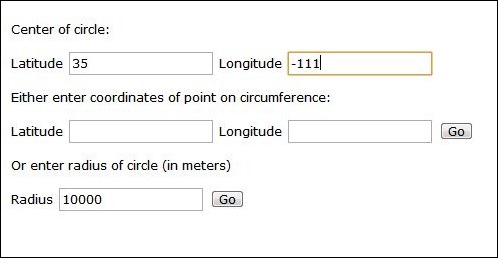
Press the Go button, and get a link to the KML file:

Depending on how your browser is set up, clicking on the link will either download it to your computer, or open it automatically in Google Earth. Right-clicking on the link and choose “Save As” is the safest, as it will definitely download the file to your computer. Open it in Google Earth:
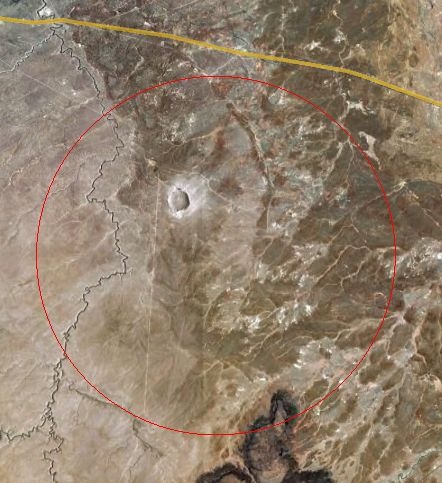
Default is a red circle; if you don’t like that, you can always right-click on the KML file listing at left, choose Properties, and change the style to whatever you want:
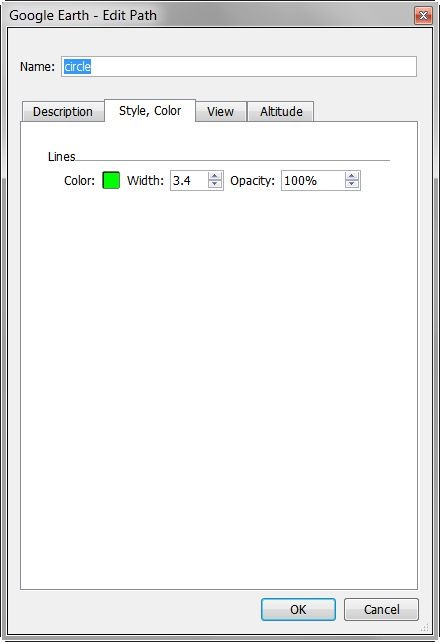
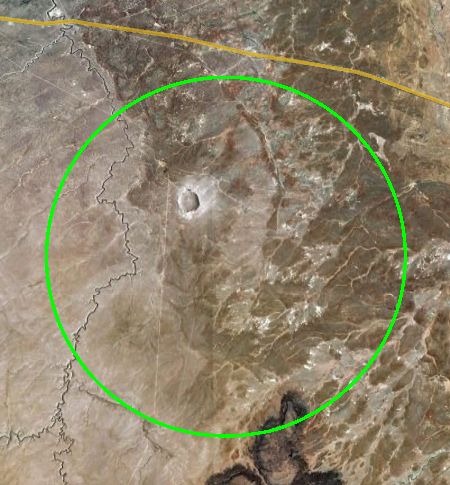
BTW, that big hole in the ground inside the circle is Meteor Crater, just outside Winslow, AZ.
Are either of the circle generator sites still working? With the newest one after inputting the data and clicking GO I get a page that simply says “Go back and make sure you have entered the values we need”. And that’s using the default data.
With the older site for results I just get a “blank” google map. That is, the navigational tools appear on the left, and the map/satellite/hybrid button appear at upper right but there’s just a gray background – no map/aerial at all. The cursor changes when I hover over the map/sat/hybrid buttons but nothing happens when I click them.
I’ve tried both Firefox and IE without success.
Thanks for any help/ideas.
You’re the second person in a week to have these issues; it does look like both sites are down. Take a look at GE Path as an alternative:
https://freegeographytools.com/2007/drawing-grids-paths-and-polygons-in-google-earth-using-ge-path
53°28’17.95″N
2°23’19.71″W when i convert these to decimal and enter in kml circle generator all i ever get is error messages.
I have spent hours trying to sort this out. Has anyone got a circle generator out there that works.
i am doing something wrong here.
Please can someone help me
Kind regards
Mike
Site may not be working; try the GE Path program instead.
https://freegeographytools.com/2007/drawing-grids-paths-and-polygons-in-google-earth-using-ge-path