

Site appears to be down; try the GE Path program as an alternative.
KML-Circles is an online app that creates open or filled polygons around a specified center point. With the default number of 60 vertices, you essentially create circles, but by selecting a small number, you can create other polygons (e.g. 3 for a triangle, 4 for a square), but with no control over their orientation. It operates in two different styles:
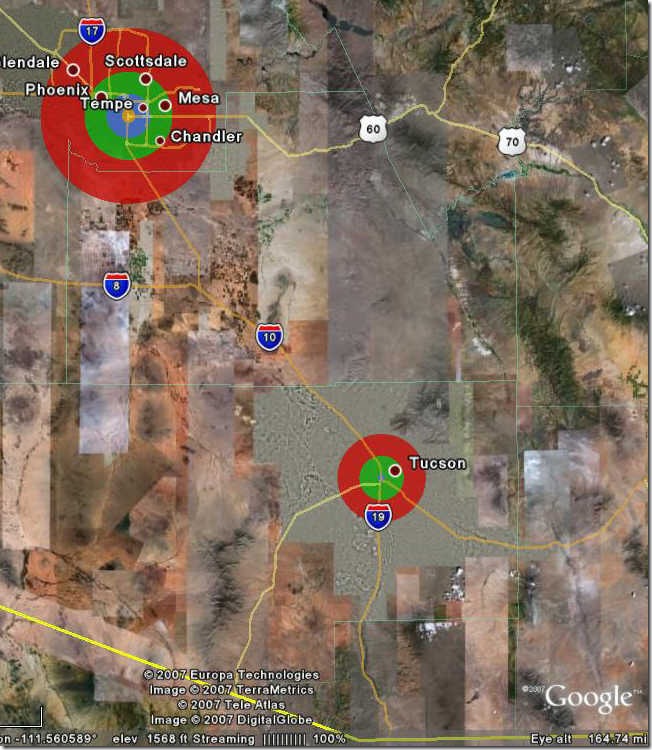
In Fixed style, you can specify an indefinite number of central points, and up to 15 different circle radii, each with its own selectable color:
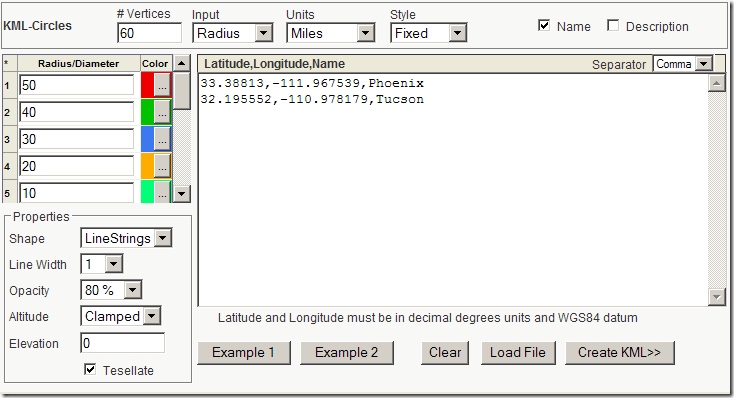
# Vertices – Number of points used to draw polygon; the more points, the smoother the circle
Input – Either radius from the center, or diameter
Units – Metric (Meters, kilometers) and English (Miles, feet, yards)
Radius/Diameter – Sets the value for drawing the circles, in the units specified above. Circles are drawn in order from top to bottom, so it’s usually better to draw the larger circles first. Set the color for each radius by clicking on the “…” button.
Shape – LineStrings draws just the radius of the circle, Polygon draws it filled in.
Line Width – Sets line size in LineStrings mode.
Opacity – Sets opacity percentage (100% – fully opaque)
Altitude – Clamped to ground (default), Relative to ground and Absolute
Elevation – Sets value for Relative to ground and Absolute
Example 1 – Sample of fixed style (shown above)
Example 2 – Sample of variable style (shown below)
Clear – Clears position and radius/diameter data
Load File – You can load your own text data file into the input box; data can be separated by commas (CSV), spaces or tabs, with the Separator defined by the dropdown at upper right.
Create KML>> – Click on this button, and the specified data will be plotted in a Google Maps interface:
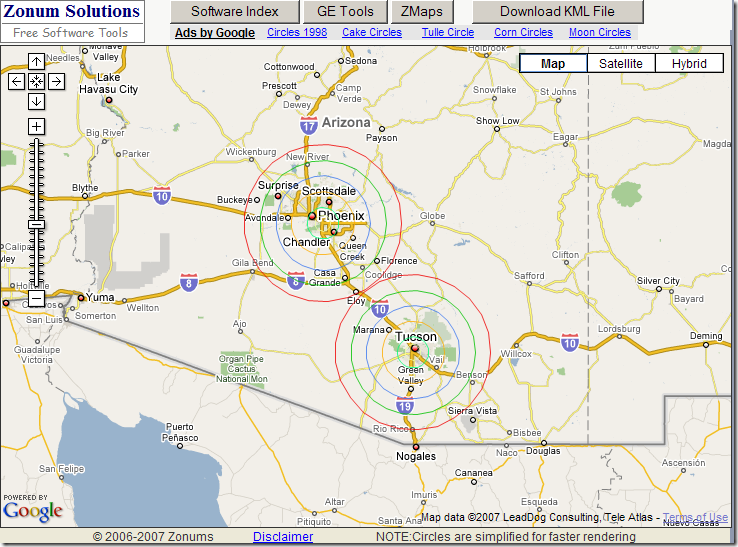
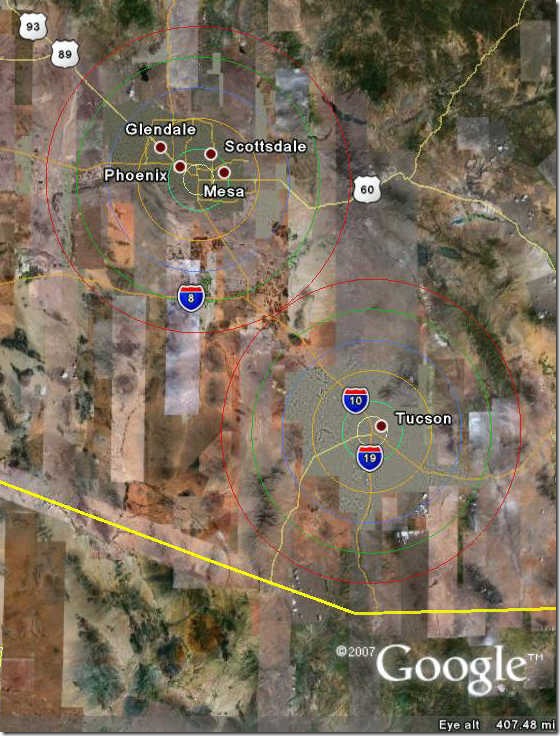
If you like the results, click on Download KML File and the KML code will be generated:
In Variable style, you can specify different sets of radii for different points, as in Example 2:
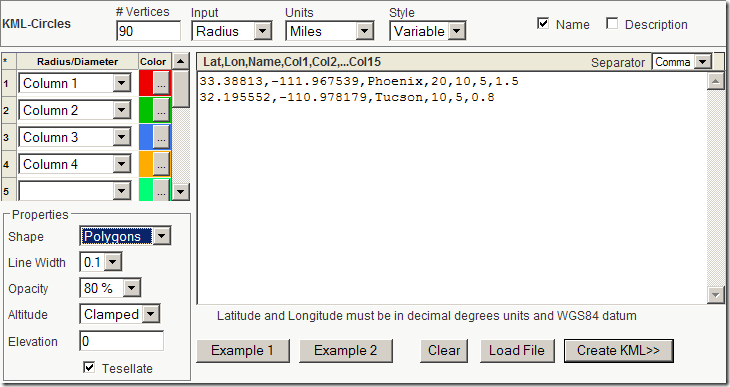
Up to 15 different radii can be used as input, with the “Column” dropdowns at left letting you specify the order in which the input radii are drawn:
GE-Path also creates circular polygons (in addition to grids and other useful shapes), but only one at a time. If you need to make multiple circles on a common radius at at the same time, KML-Circles is a convenient alternative.
Last year we had a Foot and Mouth outbreak in the UK. The Govt created exclusion zones (500m diammeter) and controlled zones (10km) out from each occurence of the outbreak. Since the outbreaks were often on farms within less than the exclusion zone size an envelope of overlapping circles was created.
Could you create a solution to write only the external sections of the overlapping circles?
Thanks
GUY
I’m not the author of the KML Circle Generator, so I can’t help you on that front. But this is the sort of project that would literally take less than half-an-hour with even a basic free GIS like MapWindow or gvSIG.
1. Gather up the coordinates of all the farms into a single file of points (a point shapefile).
2. Use the buffer feature to draw circles of the right size around every farm.
3. Merge all of the circles into a single area (an area shapefile)
4. Convert that area shapefile into a KML file for viewing in Google Earth, using shp2kml.
If you can send me a file (spreadsheet or point shapefile) with the locations of the farms in question, the precise details of the exclusion zones, and the exact details of what you want, I can have a crack at it, and write up a step-by-step description of the process as a post. I’m always looking for good topics :).
Thanks, good post, KML-Circles is a handy tool! If you like to learn how to create basic shapes for Google Earth using KML and the Python programming language, take a look at “http://zoolboolcode.blogspot.com/2008/10/draw-simple-shapes-in-google-earth_09.html” for a basic introduction.
hi, nice tool.
i’d like to create a bunch of the circles by copying the first, but i do not find a way to edit the lat/lon location to place the copy. ideas?
Why couldn’t you just enter a number of different sets of center coordinates? That would give you multiple circles.
I think it it will be a great tool, but when I tried to draw a circle in meters, I got a circle in decimeters, it was 10% in size of what I actually intended to draw. After a multiplication my circle was perfect, thanks.