The Generate a Panorama site lets you generate high-quality panorama views, with labeled peaks, for some areas of Europe, Asia, and Africa; moving your mouse cursor over the “Covered areas in Europe, Asia and Africa” link near the top of the page shows the coverage area:
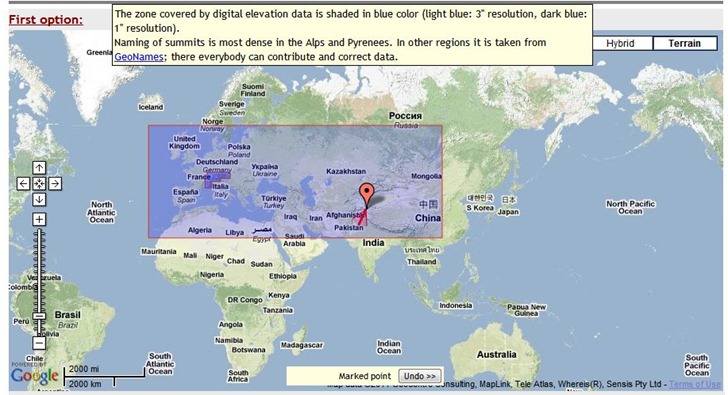
You have three options for setting the peak location:
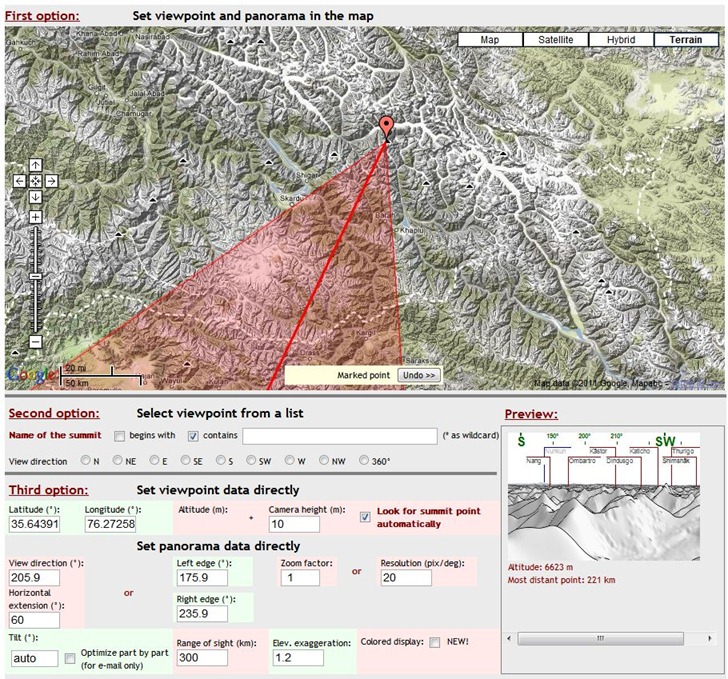
- Clicking directly on the map to set the location, then adjusting the direction of view.
- Choosing peaks from a searchable list
- Entering the exact latitude/longitude, and also setting camera height, distance, viewing angles and more.
As you adjust the position and parameters, you get a mini-preview of the view at lower-right:
When everything is set, you have the option of either emailing a copy of the panorama to yourself or someone else, or viewing it in the browser:
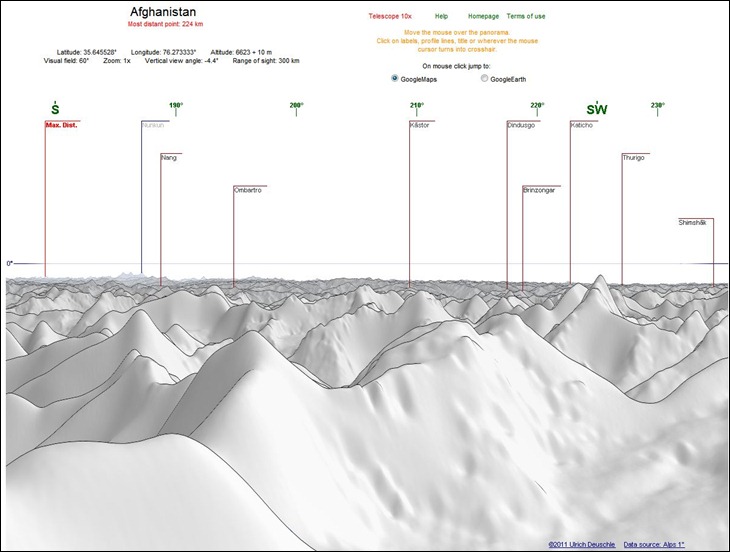
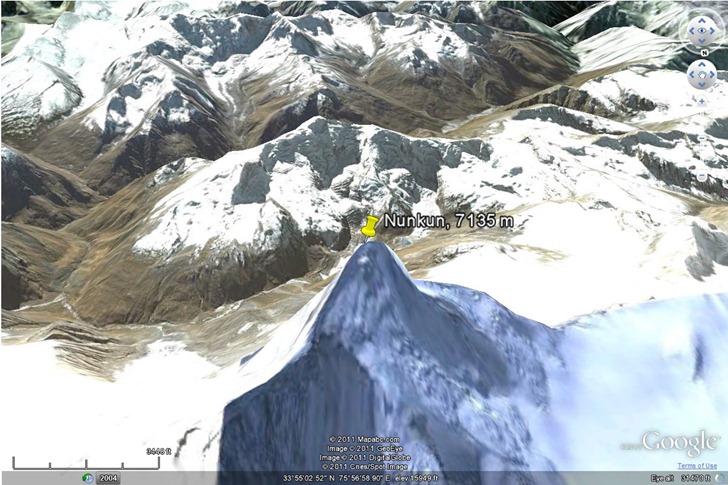
Peaks are clickable, and you can choose to have a peak location highlighted either in Google Maps, or the Google Earth browser plugin:
There’s also a “Telescope 10x” option to blow up a section of the panorama, but I couldn’t get that to work.
Data resolution is 1 arc-second (30 meters) for the Alps, and 3 arc-second (90 meters for the rest of the world). Hopefully, the rest of the world will be covered at some point in the future. The panoramas look better than the ones generated by the HeyWhatsThat site, but that site offers worldwide coverage, and additional features like viewshed export to Google Earth.
Via Google Maps Mania.
Greg Lennon of Red Arrow Maps has put together LIDAR Links For Mappers, a nice set of links to online resources for LIDAR:
Data: Links to a number of data sources for LIDAR, mostly free. Currently oriented towards US data only.
Software: Both free and commercial software for viewing and analyzing LIDAR data files, many of which were new to me. Two programs not on the list, but which have some LIDAR visualization/analysis capabilities, are the MicroDEM terrain analysis GIS and gvSIG through the SEXTANTE plug-in (using some of the capabilities imported over from SAGA GIS).
Educational: Links to presentations and primers on LIDAR basics.
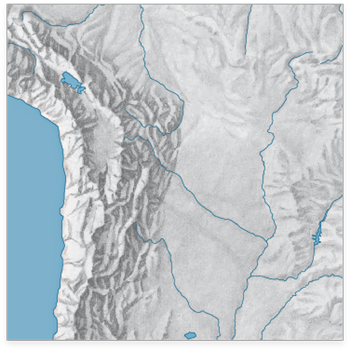
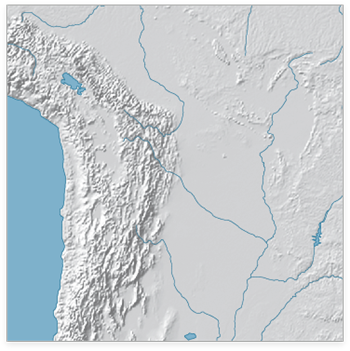
The WeoGeo blog highlights the Shaded Relief Archive, a collection of hand-shaded relief maps freely usable and distributable. This is a joint effort from Tom Patterson, creator/manager of the Natural Earth Data website (see this post for more info on the latter site), and Bernhard Jenny (author of the Terrain Bender and Scree Painter tools). While you can generate shaded relief from digital data (using reflectance), hand-shading can often do a better job of highlighting subtleties of terrain detail, as in this comparison of hand-shaded data (left) and digitally-derived data (right) taken from the Shaded Relief Archive comparison page:
Some maps come in georeferenced GeoTiff format (along with shapefiles that define map area and coastlines); others have yet to be georeferenced. Most are at fairly small scales, so they’ll be best for maps covering large areas; an exception is the set of 100+ shaded relief maps for US National Parks.
Note: Some of these shaded relief maps, as well as many others, are also available at the WeoGeo Market site.
The OpenTopography Portal is a GEON Project initiative to build an online system that provides integrated access to high-resolution topographic data, web-based processing tools, and enables the user community to share knowledge, experiences and resources
The OpenTopography Portal offers free downloads of LIDAR data in raw point cloud formats, processed DEMs, and Google Earth image overlays (reflectance):
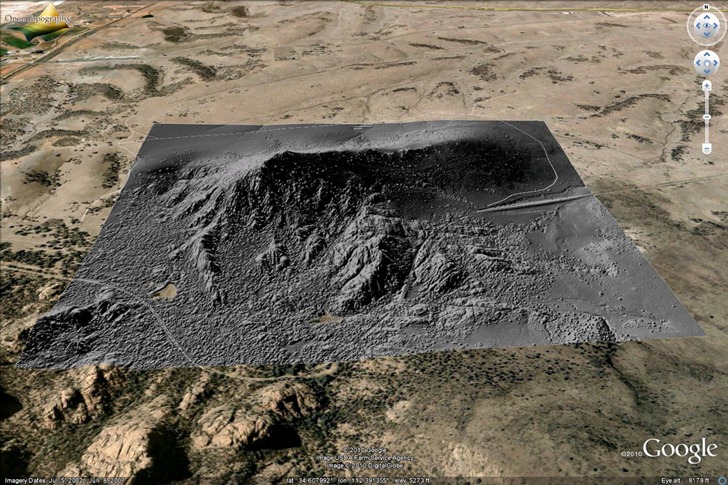
Data resolution is typically at least one meter, and sometimes better than that. Biggest problem with the site now is sparse area coverage; they’re relying on voluntary donations of data, and so far, the overwhelming majority of data is earthquake fault zones in California:
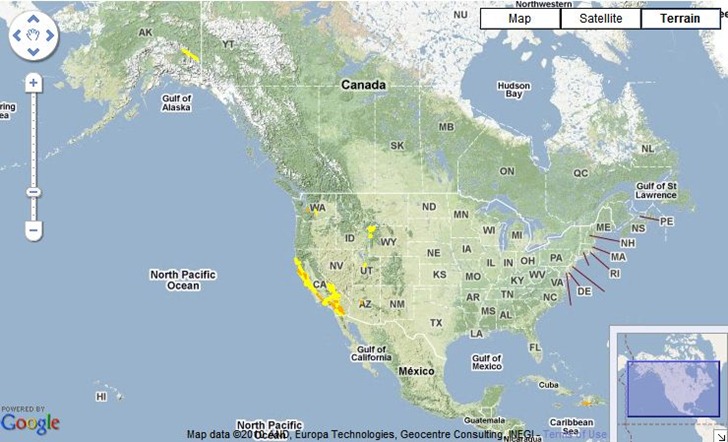
There’s a smattering of additional data for Alaska, Washington, Wyoming, Utah, Arizona and Haiti, but only a small fraction of the US is currently covered. The site/project is still active, so hopefully additional areas will be added in the near future. At the very least, it’s a useful site for getting sample LIDAR data to play around with.
A number of sites (e.g. the BBC) have recently posted about the TanDEM-X and TerraSAR-X program, which is generating a worldwide digital elevation model (DEM) database with a horizontal resolution of about 12 meters. A comparison is often made to the best current worldwide database, SRTM-90, which has a poorer 90-meter horizontal resolution and limited coverage at high north/south latitudes. What they don’t usually mention is:
- SRTM-90 data is available now; the TerraSAR-X dataset won’t be completed until 2014.
- SRTM-90 data is free, and freely available; the TerraSAR-X program is a public/private partnership, with Infoterra GmbH having exclusive commercial rights to the data. So if you want that higher-resolution data, you’ll almost certainly have to pay for it.
I’ve posted about sources for SRTM-90 data before; what I haven’t posted about is even higher-resolution data available from the ASTER GDEM program . This DEM dataset was “created by stereo-correlating the 1.3 million scene ASTER VNIR archive, covering the Earth’s land surface between 83N and 83S latitudes”. Further data processing was done to fill in voids and fix obvious data flaws. It’s currently freely available from two websites:
- NASA’s EOS Data Archive. The good news is that the data is here, along with a lot of other earth observation data. The bad news is that it’s a nightmare to find and download the data from this site.
- Japan’s ASTER GDEM website. Still not an optimal experience, but easier to figure out than the NASA site. You can download DEM data in GeoTiff format in one-degree-square chunks, up to 100 at a time. Free registration is required; use the “Search” link to access the data selection and download pages.
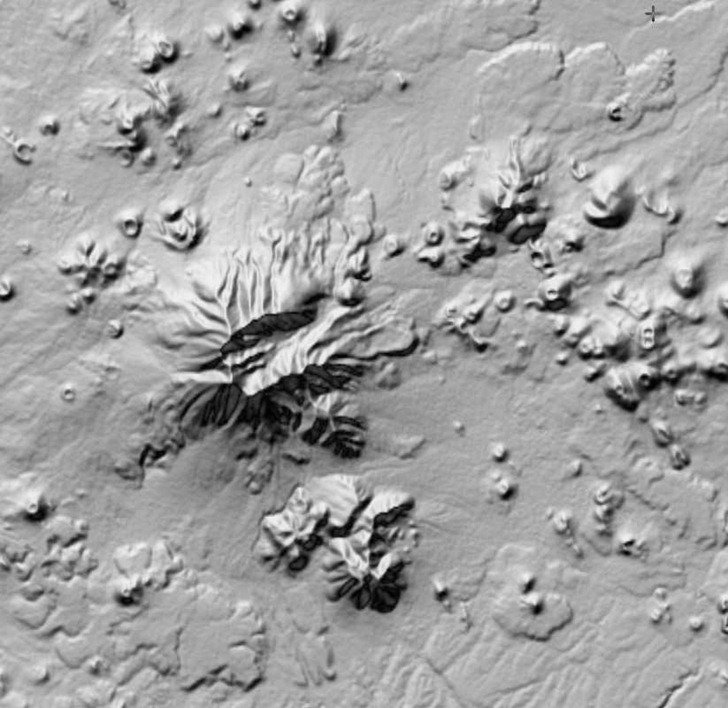
There’s a catch, though – while the GDEM data has a higher horizontal resolution than SRTM-90 data, it also has a lot more artifacts in it, even after being cleaned up. Here’s a SRTM-90 DEM image, 90-meter horizontal resolution:
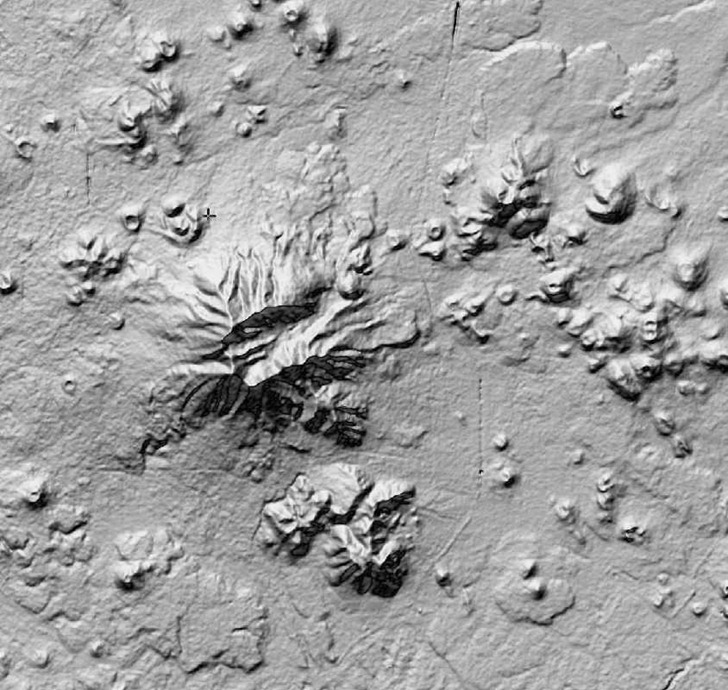
And here’s a GDEM image of the same area, 30-meter horizontal resolution:
“ASTER GDEM is a product of METI and NASA”
The improved resolution is obvious, but so is the increased “bumpiness” and other odd features in the GDEM data, artifacts of the data collection/reduction process. Contributing factors to the creation of these artifacts include cloud cover, vegetation type, land type, and man-made features (e.g. the linear feature running N/S in the image above is US Highway 89). There’s a Validation Report that goes into the reasons behind all these artifacts; their final conclusion is that the data should be treated as “experimental” or “research-grade”, but with the hope that future refinements might improve its qualities. If you can live with the resolution of the SRTM-90 data, that’s probably a better choice; but if your area of interest isn’t covered by SRTM-90, or if you absolutely need higher horizontal resolution and can live with the artifacts, ASTER GDEM could be a useful alternative.
Note: the original data of ASTER GDEM is the property of METI and NASA.
Hoisted from the comments from my post on creating ESRI ArcGrid DEM files for use with Terrain Bender, two more options for converting other DEM formats to ESRI ArcGrid, plus many other formats as well.
LandSerf: A multi-platform (Windows, Mac and LInux) terrain visualization and analysis program, LandSerf can also import/export DEMs in a number of formats (.bil, .flt, .grd, .asc, .dem, .bin, .hgt, .ter, .bt); VRML (.wrl) is an additional export format.
VTBuilder: Windows only, VTBuilder lets you import/merge/resample DEM data in any GDAL-supported elevation format (and several additional ones like MicroDEM DEM files), and export the data in the following formats:
- ArcInfo ASCII Grid (*.asc)
- GeoTIFF
- TerraGen (*.ter)
- STM
- MSI Planet
- VRML ElevationGrid (*.wrl)
- RAW/INF for MSFS
- ChunkLOD (.chu)
- 3TX
- VTP (*.bt)
VTBuilder was primarily designed for use in putting together data for the Virtual Terrain Project, an open-source 3D landscape visualization program. The VTP site contains a wealth of links to software, data, and general information about terrain visualization, and is well worth a look.
One more brief post on Terrain Bender, a program that lets you create varying-perspective terrain views, analogous to what you get looking from an airplane window: straight-down for nearby terrain, an oblique view for terrain further away:
Continue reading ‘Create A Horizonless Projection View With Terrain Bender’
In an earlier post, I covered Terrain Bender, a program that lets you create varying-angle terrain views from digital elevation models (DEMs), with optional overlay imagery, analogous to the view you get from the window of an airplane:
Continue reading ‘Converting DEM Files To .asc Format For Terrain Bender; Creating Matching Raster Overlays’