

Matt Amato at Analytical Graphics has created a network link that converts USSTRATCOM data (active and inactive satellites, debris and rocket bodies) into a KMZ network link for observation in Google Earth:
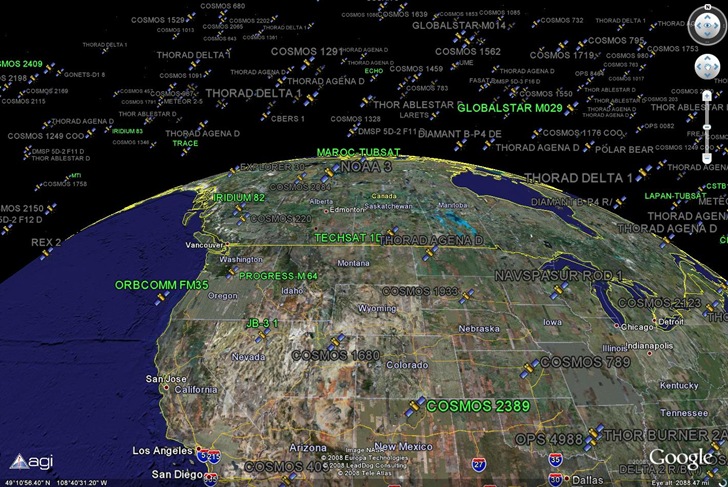
In the above view, debris and rocket bodies are turned off; active satellites are in green and inactive in gray. Satellites are plotted at their actual 3D position, including altitude, so you can zoom around above the Earth and see the satellites suspended overhead. Switch to Google Sky mode, and see the satellites plotted against the constellations:
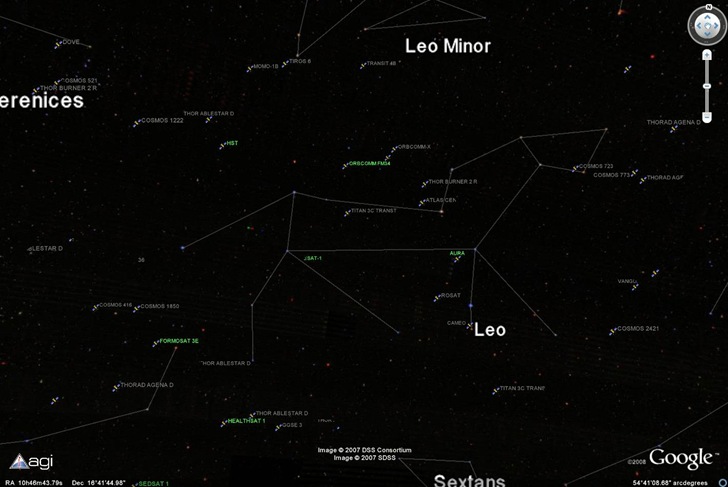
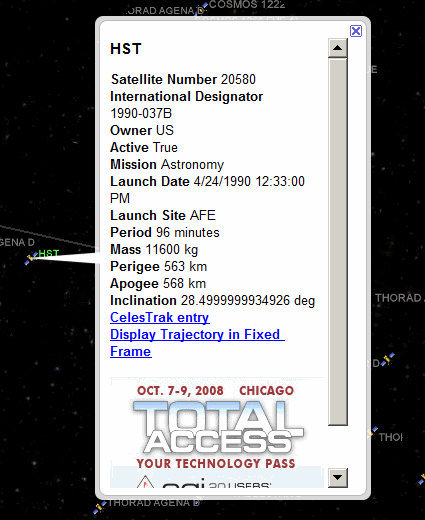
The Hubble Space Telescope (HST) is between Leo and Leo Minor in the above image. Click on a satellite’s icon, and get a quick rundown on its history and orbital parameters:
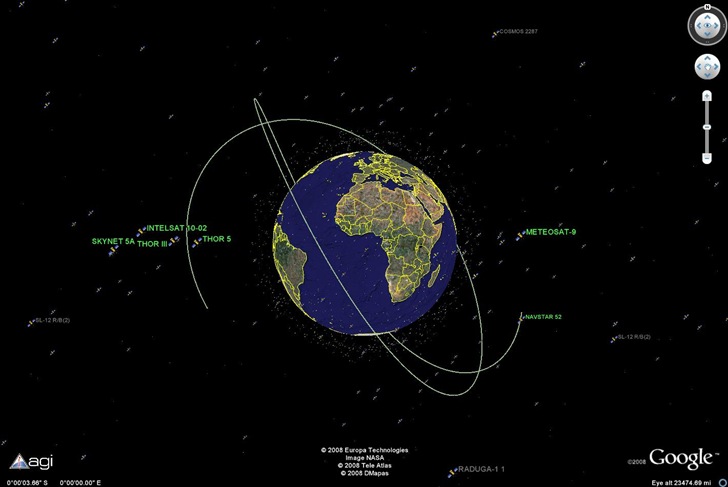
Click on the “Display Trajectory” link, and see where it’s headed in its current orbit:
1 Response to “Real-Time Satellite Visualization In Google Earth”