

Here’s a useful tool for identifying which USGS 24K topo quad covers a specific area in the US in Google Earth; it even gives you a handy link to download a GeoTiff of the map from the Internet Archive.
DDS Mapfinder is a KMZ file that opens up in the places pane in Google Earth. Read the warnings and instructions first before using it – if you try and open topo grids for all the states, you may crash Google Earth. Check on an index for a particular alphabetical group of states, and rectangular grids will open on top of those states:
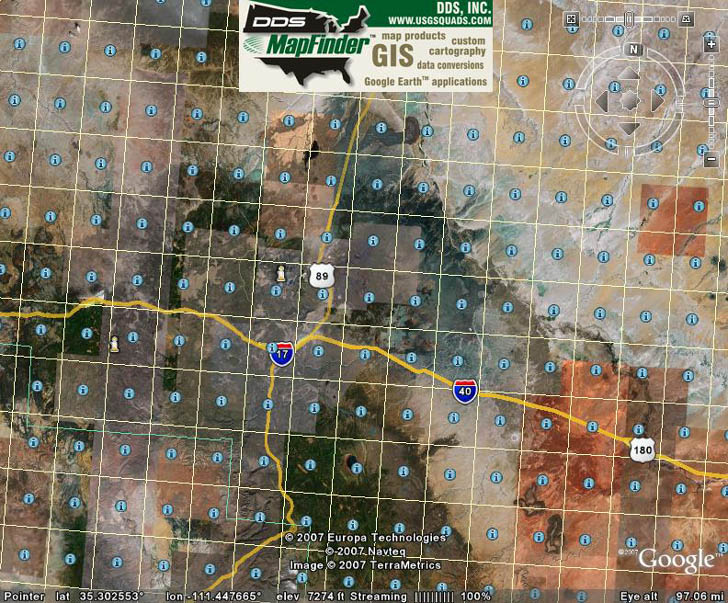
Each grid square corresponds to a single 24K topo quad; click on the “i” in the center of a square, and an info window pops up:
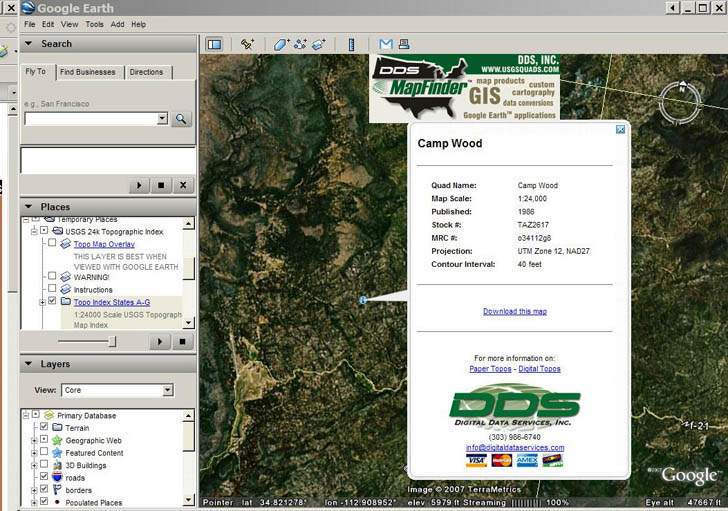
Click on the “Download this map” link, and you’ll download the full GeoTIFF image file for that topo quad (UTM, NAD27). You can supposedly also overlay topo maps onto Google Earth using MapFinder, but I had trouble getting that feature to work well. I’ll stick with the overlay from GPS Visualizer for that.
The page also features an online clickable PDF catalog of topo maps (1:24K, 1:100K); you’ll need to have pop-ups enabled to use it.
You might want to check out this story about a nifty USGS topomap Google Earth network link. Zoom in close to somewhere in the US and it will automatically pull in a topomap overlay for your current view. It comes from Terraserver. I don’t know if it has the most recent 24K topos though.
i like topographic maps for my travel