

Addendum: This application has been removed, apparently because the author is working on something similar for commercial purposes. See this post at the Google Earth Blog for another application that does something similar.
From the GeoDatum blog comes a link to an application that displays satellite positions and visibility cones in Google Earth. 31 different categories of satellites are available, including weather and communications, but probably of greatest interest here is GPS.
Download Paul Seabury’s Satellites From Google Earth application from this link. You’ll also need to first install a copy of the J# Version 2.0 redistributable package, available here, unless you already have it installed. Start up the program, and it will load up Google Earth, then itself. The interface is straightforward:
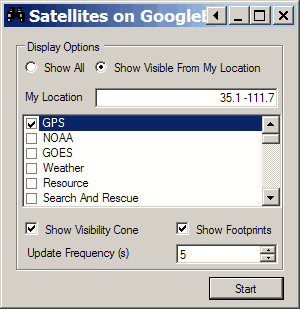
Enter your location (latitude and longitude) in the My Location box; select whether you want to see all the satellites, or just those currently above the horizon in your area. Select which satellites you want to see (only GPS is selected above). Visibility Cone / Footprint let you see where a specific satellite is visible from the Earth, and where it’s directly overhead. Update Frequency sets how often the positions are updated; default is 5 seconds, but you could probably set that much longer without any serious consequences. Click Start to display the satellites; clicking Stop stops the update, but the satellite display will remain on screen until you stop the application and delete the “satellites.kmz” link in “Temporary Places”. Here’s a image of GPS satellites for my location:
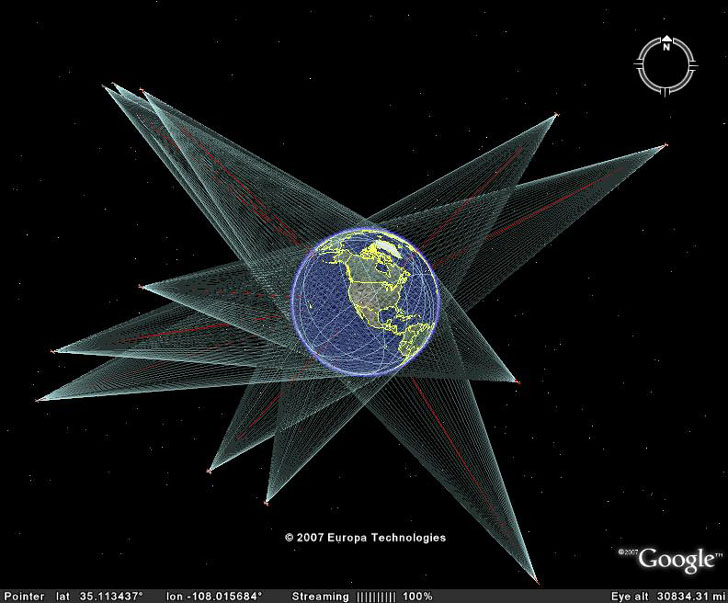
Additional info at this Google Earth blog post.
FINALLY!
Something for GE that will track the ISS and other sats in real time! I was wondering how long it would take for someone to do this.
The only improvement that I would ask for is to be able to select each sat from the lists. If that is too much, then this is just fine as is!
So . . . will shuttle flights be included?
Since I didn’t write the program, I can’t say. I would tend to doubt it, given how infrequently shuttles are launched, how often the launch date changes, and how short the missions are. For that matter, most of the remaining shuttle flights will be devoted to completing the ISS, so if you have the orbit for that, you’ll know where the shuttle is.