

Google Earth can display a scalebar in the lower left-hand corner of the display:
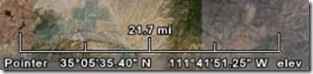
If you don’t see it, you can turn it on by selecting View => Scale Legend from the top menu. While it’s useful, it also has the drawback that it stays the same size on-screen as you zoom in and out, only the number above it that represents its length changing.
There’s a dynamically-sizable scalebar available as a network link from Safety Dave, available in two flavors (metric and English). Download the KMZ file, and open it in Google Earth; a colored bar will appear in the upper-left-hand corner, labeled with a specific distance:
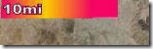
As you zoom in, the bar will get longer and longer, until it fills the top edge of the display. Zoom in further, and it will shift automatically to a new scale 10x smaller than the previous one. For example, metric will go from 10 km to 1 km to 100 meters; English would go from 10 miles to 1 mile to 500 feet. The reverse will happen as you zoom out; zoom out too far, and the scalebar gets replaced by an error message.
You can always use the “Show Ruler” tool from the top toolbar to measure and display distances.