

Navimatics has created a KML network link that overlays marine charts derived from NOAA data onto Google Earth. Coverage includes all of the US coastline for the contiguous 48 states, but not Alaska and Hawaii yet. From high altitudes, coverage areas are outline with yellow lines:
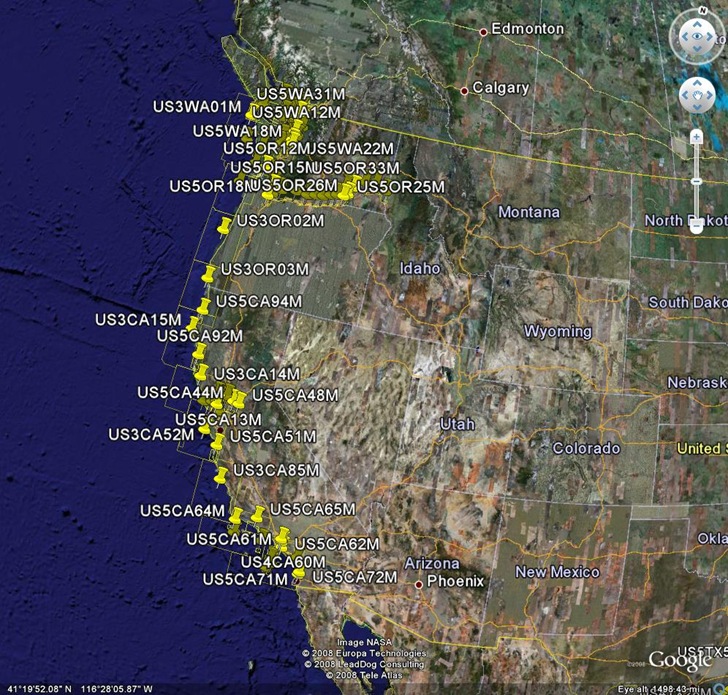
Zoom in to about the 15-mile altitude, and the charts will appear:

On my system, I get a view where the bottom half is an opaque overlay, while the top half is partially transparent with topographic contours. I don’t know yet whether it’s just a quirk in my system, or whether it’s supposed to be this way. 5/2/2009: This may be an problem with DirectX vs. OpenGL for the display. In any case, as you scroll the map, the position of the opaque layer remains the same so that you can view an area with and without it.
Navimatics also sells a line of digital marine charts for Garmin GPS units, which cover more area than Garmin’s own BlueCharts, are updated regularly, and cost less; sample maps are available for several areas.
The view I get is like your top half, just soundings and contours added to the satellite imagery. I don’t get topographic contours in my east coast area, and only on some of the west coast charts.
I don’t get anything like your bottom half. Do you have some other layers or content in Google Earth that I don’t have? And which version of Google Earth is that on?
The only layer I have turned on is the Navimatics layer, and according to them, the whole display should look like the bottom half. I contacted them with my problem, but haven’t heard from them in a while. You might try contacting them directly to see if they’ve made any progress.
Google Earth has two graphics modes: OpenGL and DirectX.
In OpenGL mode I get the soundings and contours superimposed transparently on the satellite imagery like your top half.
In DirectX mode I get an opaque recoloring of the whole background like your bottom half.
I don’t know why you get both views on the same screen.