

Previous posts have shown how to display parameters such as elevation, slope, and aspect in MicroDEM on a “global basis”, plotting these parameters individually across an entire DEM. But it’s also be useful to show which areas on a DEM fit within a specific range of values for these parameters, e.g. what areas have a slope greater than 50% but less than 100%. MicroDEM can do this kind of terrain categorization.
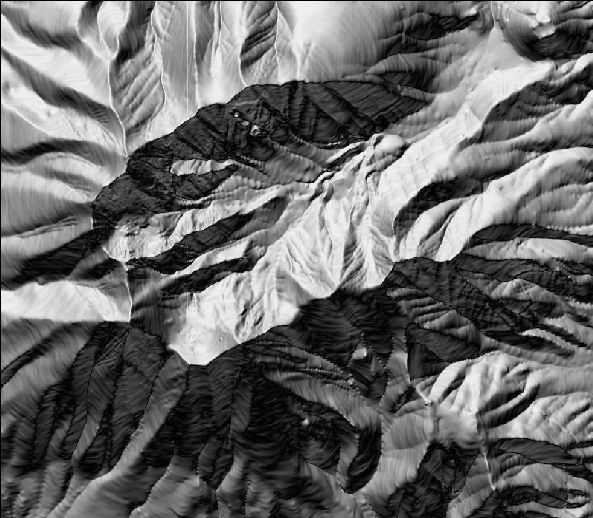
Once again, here’s the DEM I’ve been using repeatedly as a sample in MicroDEM, displayed in reflectance mode:
From the Overlay menu at the top, select “Terrain categories”. The following window comes up:
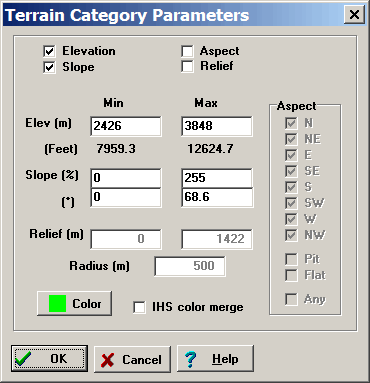
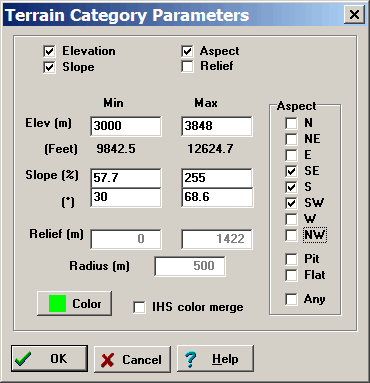
At the top, you can set the parameters you want to select by: elevation, slope, aspect (the direction the slope is facing), and relief (whether there is a specifiable difference in elevation within a definable radius of a point location). “Color” sets the color plotted on the DEM; checking “IHS color merge” makes the color partially transparent, so that the terrain can be seen underneath. For example, suppose I want to see all areas on the map above 3000 meters, facing southward, with a slope greater than 30 degrees but less than 68.6 degrees, and no constraints on relief. The Parameters window would look like this:
And the resulting terrain categorization like this:
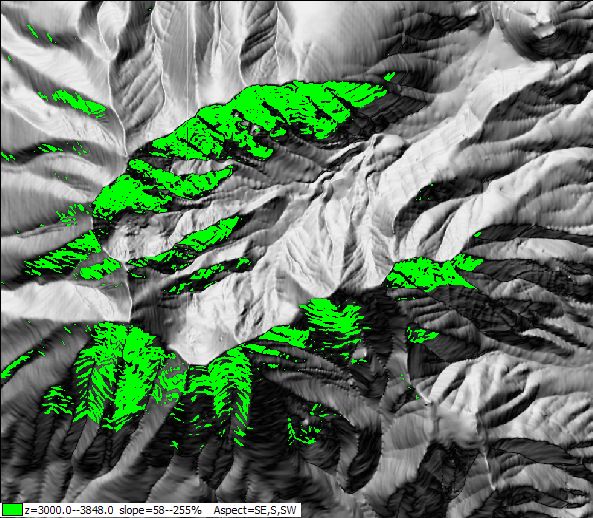
To remove this overlay, right-click on the map and choose “Manage overlays”.
If you want to see just the areas that fit the parameters, without the terrain, right-click on the map, and select Display Parameter => Blank:
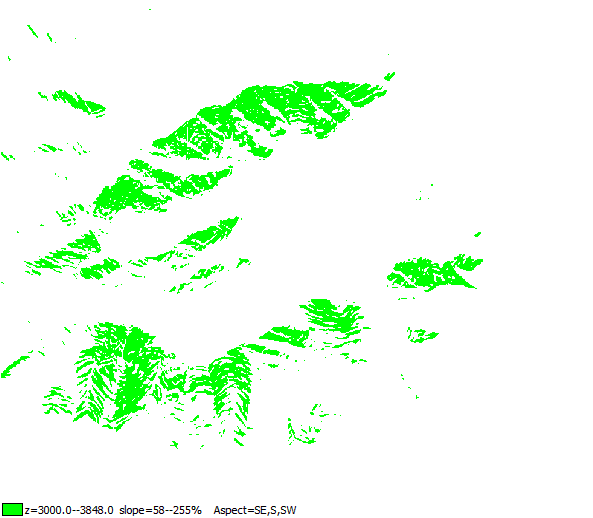
By following the process outlined in this post, you could convert this raster image to a shapefile for use in other GIS programs.