

DigiPoint is a great site for selecting points in Google Maps, and then exporting them as a CSV file for import into a GPS as waypoints using GPSBabel. Once loaded into the GPS, you can create a route using those waypoints, but it would be easier and more convenient if you could create both the points and the route in Google Maps, and then create a GPX route file automatically. And there’s a website that lets you do that.
The Marengo GPS Route Planner opens up in a fairly standard Google Maps view (click on image for larger view):
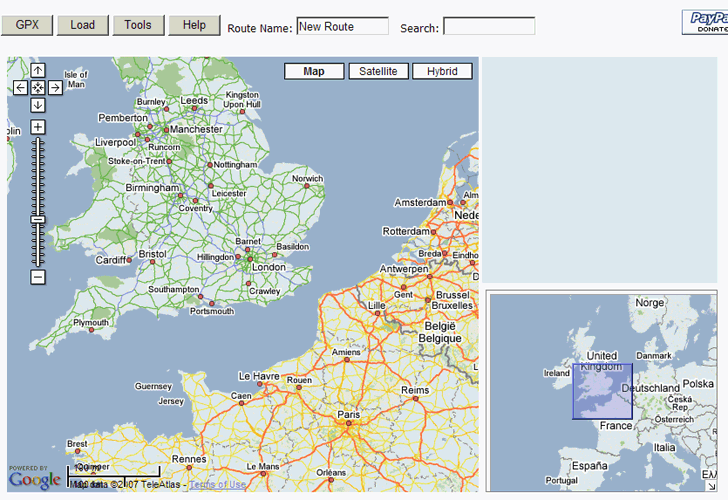
9/14/09: To get rid of the yellow box announcing the updated paid version, click on Help, then close the Help box.
Use the standard scroll and zoom controls at the upper left to move the map to your desired location. You can also click and drag the main map, or the overview box in the lower right, to put you where you want to be. Now just click on the map to create the route, beginning at the start of the route:
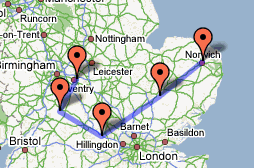
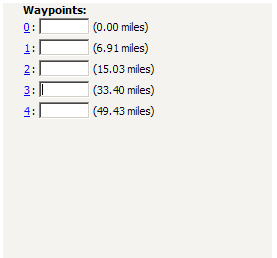
As you create waypoints, a list of them will appear in the upper-right-hand corner, showing the distance between each successive point, and allowing you to give the points a name:
When done, click on the GPX button at the top, and a window with the GPX text will open up. Copy the text, paste it in your favorite text editor, then save it as a GPX file. Now you can upload it to your GPS with your favorite program (e.g. GPS TrackMaker, EasyGPS, etc.).
If you already have a GPX route file, and want to load it in, open the GPX file in a text editor, copy the text of the file, click on the “Load” button at the Route Planner website, paste the text into the window that pops up, then click OK. You can now add additional points to your route, and save it as a new GPX file.
Clicking on the Tools button at the top of the website brings up the following tools and options:
Save: Lets you save the current map position as a “home” location; next time you open the site, you’ll start with the view centered on your home location instead of the default UK view.
Home: Takes you back to the home location.
Clear: Clears out all the entered waypoints, and starts a new route
Lines: Toggles drawing lines between waypoints of the route. Default is off, it’s on in the picture above.
Units: Toggles between miles and kilometers, default is miles.
Hi,
Free as in beer or as in speech ?
I’m looking for server-side products that can actually provide service, I heard of a study making ESRI products look very poor compared to a couple OSS products in terms of performance.
What would be those products ? Have you heard about it ?
There is a much better map for doing this (creating GPS routes). Try http://map.netkvik.dk. It is in English. You can create routes that follow the roads or tracks anywhere (point-to-point) by clicking on the map. Routes can be downloaded in KML format (Google Earth) and easily converted to GPX via the link given on the site under “Export”.