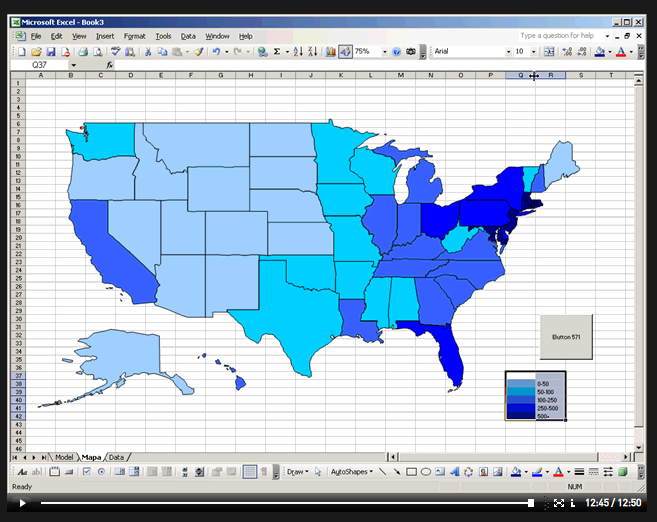
A video/demo tutorial on creating a thematic map using just Excel, no GIS or extra programs required. I’d rather use a GIS, but if you’re really comfortable with Excel, it’s worth a look. Note: Any time the video demo stops, it probably means it’s waiting for you to click on something on the screen, usually highlighted in blue.
HT to Askan Schmeisser.
Other posts in the Cartography Tools series
- PDFCreator
- Printing Large Maps On A Small Printer
- Printing Waterproof Maps
- Public Land Survey Systems (PLSS) Shapefiles And Geocoding
- Screen Capture Programs
- Free Map Symbols
- In-Browser Web Page Image Capture
- Better Map Color Schemes With ColorBrewer
- New "Fixed" Versions Of SRTM-90 Data Available
- US/Global Terrain Shading Data And Landcover Imagery
- “Making Maps” Blog
- Highway Sign Fonts
- Analyzing Visual Clutter In Maps With Software
- Downloadable Cartograms From Worldmapper
- Creating Map Color Schemes With Kuler And ColorBrewer
- Additional Color Applications For Maps And Design
- One More Color Design Resource
- Tiling And Printing Large Maps To Scale On A Small Printer
- Recoloring Or Modifying GeoTiff Images
- More Color Design Resources
- Evaluating Map Graphics For Color-Blind Viewers
- Calculate New Coordinate Position From Current Position, Bearing And Distance
- Tiling Large Maps For A Small Printer With PosteRazor


0 Responses to “Creating A Thematic Map Using Just Excel”