

From the people who brought you Hey, What’s That? and two Google Mapplets for adding contour lines and terrain profiling to Google Maps comes the Sea Level Rise Visualization mapplet, more advanced than the Flood Maps website mentioned in a previous post. You can set three different flooding levels, and assign different colors to them (red, orange, and yellow):
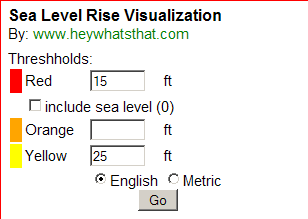
For those diehards out there, you can choose English units (feet) instead of meters, and modify the flooding level numbers and update the map quickly by clicking on the “Go” button. Leaving a level blank omits that color from the map. Here’s an image from south Florida that uses the numbers above:
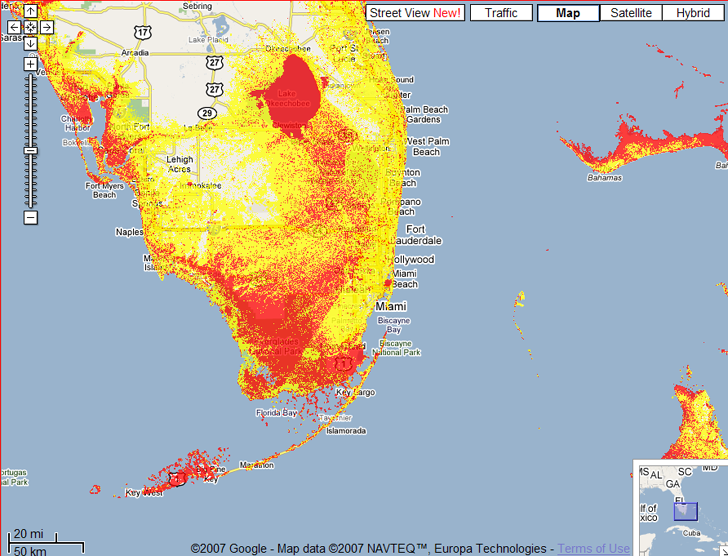
As the mapplet and my earlier post on Flood Maps point out, there are limitations to this approach deriving from the data. The SRTM data used for this has a spatial resolution of 90 meters, so the results will have a comparable spatial resolution. And SRTM data includes the heights of building and vegetation in the terrain, so urban areas like Miami will have SRTM terrain heights that are higher than the true terrain level, and the flooding level there will be undermapped by this mapplet. You’ll need to use higher resolution data with building/vegetation effects for more accurate results, as is done in this post. But for a quick estimate, this Mapplet does a nice job.Two additional tips on Google Mapplets:
– Google Mapplets aren’t currently accessible from the main Google Maps page; use this Preview link to reach a Google Maps page with an Mapplets tab
– You can reach any Mapplet by creating a single link like this one:http://maps.google.com/ig/add?moduleurl=http://www.heywhatsthat.com/mapplets/sealevel.xml&pid=mpl&synd=mpl; to test it out, just click on the link, and you’ll be given the option of adding this mapplet to Google Maps MyMaps. To create a direct link to any other Mapplet, just replace the text “www.heywhatsthat.com/mapplets/sealevel.xml” with the address of the Mapplet you want to reach. Thanks to Mike Kosowsky of HeyWhatsThat.com for this tip.
LEARN TO SWIM !!
Great picture.
You _Almost_ explained how others might do this in Google maps…
something about “Reach any Maplet” ???
“climb any mountain”????
Guess I didn’t make it clear that you could access this Mapplet by clicking on the link; I’ve modified the post to clarify that.