

Yesterday’s post covered converting KML files to shapefile format, with the intermediate step of converting them first to AutoCAD DXF format, then DXF to shapefile format using a MapWindow plugin. Seems like a good moment to post on a shapefile-to-DXF converter that can also convert ArcINFO coverages (derivable from ArcINFO E00 files) to DXF as well.
DXF Author is available for free from the state of Massachusetts, though they require you to enter your organization, contact name and email address to download the program (now missing from the MA website, but I’ve added a download link. The downloaded file is a self-extracting zip file, but the Setup program doesn’t run automatically after extraction, so you should extract the files into a location where you can find them and run Setup from there to install the program. I ran into an unusual problem – if I installed the program into its default C:\Program Files folder, or onto the C: drive in any directory, I was unable to access the root C: directory from the program to open files located in a different directory. But I could open any directory on a different drive. There are two solutions for this:
- Install the program on the root C: drive. This will let you navigate down to a subdirectory in the C:-drive with your data, but if you try to navigate back up to the C:-drive root, the program may crash.
- Install it on a drive other than the one that holds your data. This may be inconvenient, but the program may never crash as long as you access files on drives other than the one it’s installed on.
Of course, you might get lucky and not have this problem!
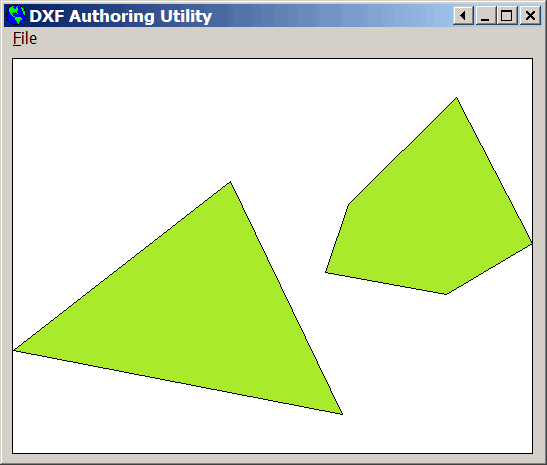
Once past this issue, the program seems to work fine. Load your shapefile, and the shapes will be displayed in the main program window (a polygon shapefile in this case):
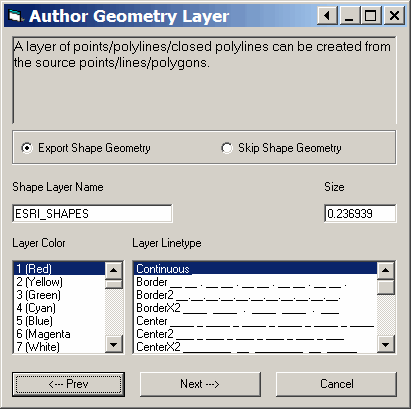
Select “Convert To DXF” from the file menu, and several screens will come up with options as to the format of the DXF data, and which attribute data to export. First is a screen that lets you decide whether to preserve the shape geometry or just export vertices, and also what colors and type of lines to create:
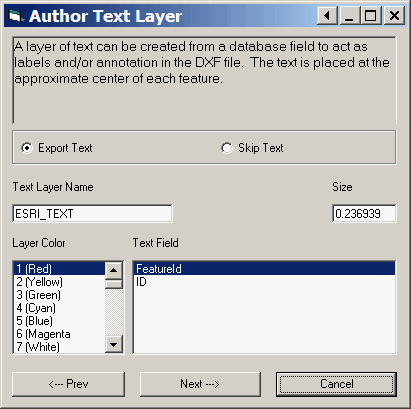
Next, you can decide which shapefile attribute will used to label the shape in the DXF file:
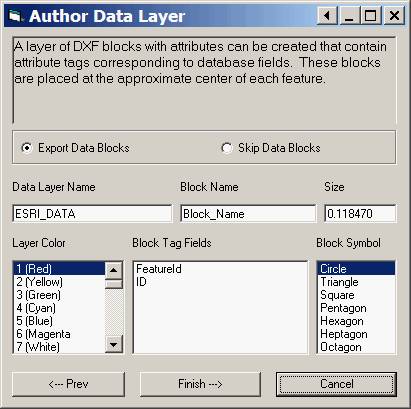
Finally, you can also export a layer of DXF blocks with shapefile attribute data, to be displayed in the DXF shape:
And here’s the DXF file created from the original shapefile, displayed in a free viewer:
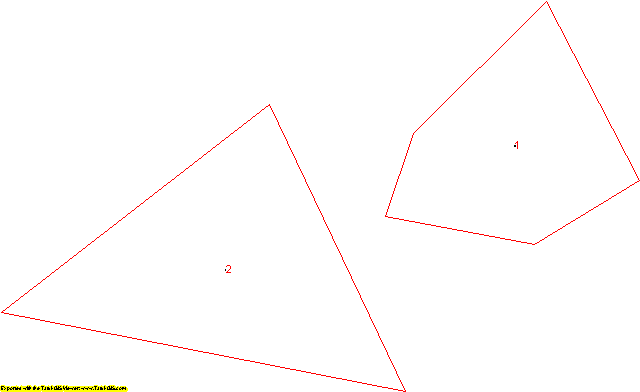
I didn’t have the chance to test it, but this program supposedly works on ArcINFO coverages as well. ArcINFO coverages are different than E00 files, but you can use the free utility Import71 to convert an E00 file to an ArcInfo coverage.
Another alternative you might take a look at, both for converting shapefile to DXF format, and then DXF back to shapefile, is TerraShape. Haven’t tried it myself – setup and use seem to be a bit more complicated than I really want to deal with. But be my guest …
There’s GDAL/OGR that has limited support of CAD formats. See http://gdal.org/ogr/drv_dxfdwg.html
Thanks. The ogr page indicates that ogr has to be linked against the DWGDirect library in order for it to have this capability. Do you know if the pre-compiled binary versions of ogr have this ability?
Hello,
I have to convert shape-files to dxf. Alsot I have to transform the filled collors and announcements (all in/at one layer) to dxf. Is this possible?
Thanks
Jens-Peter Stadie
Exelente software
I need to convert .shp into an AutoCAD drawing, hope this works, cheers
Otherwise, try “mapimport4” in AutoCad. Don’t think all versions have this.