

A while back, I posted about ColorBrewer, an online map-oriented tool for experimenting with different map coloring schemes. It’s a great tool, but with a limited number of color palettes to choose from, and no capability to modify them or create your own. Kuler is an online color palette creator from Adobe (Flash, multi-platform; free registration required) that lets you create and view your own color palette, or browse and modify palettes created by others. There’s a ranking system that lets you give a rating (1-5 stars) for palettes, and you can browse by popular (most downloads) or highest star ratings.
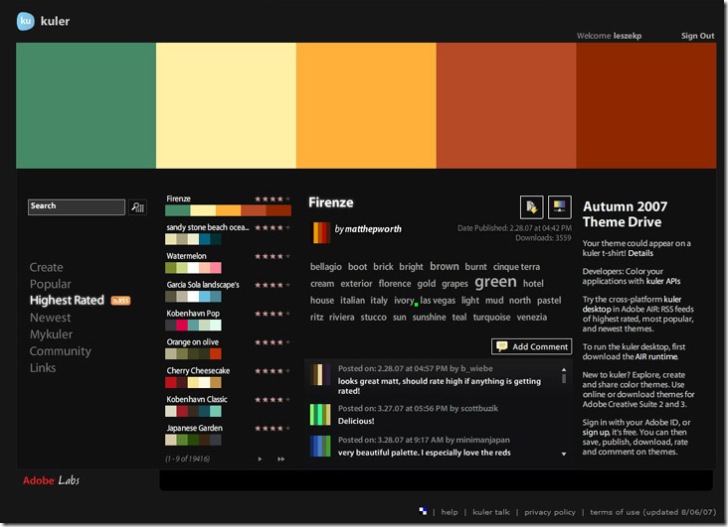
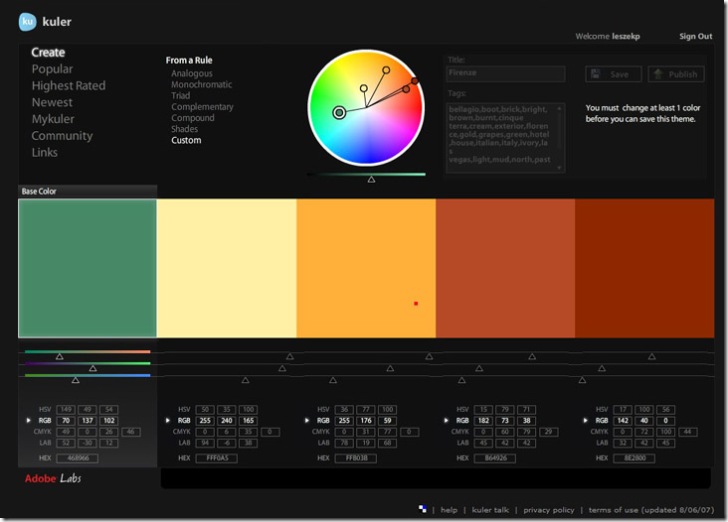
If your graphics application supports Adobe Swatch Exchange files (*.ase), you can download a swatch file from the application. If not, you’ll have to write down the color specs down (HSV, CMYK, RGB, LAB or HEX) from the settings in the Create window for your new palette. For an existing palette, click on the “Make changes …” button at middle right:
If you want to enter ColorBrewer palettes into Kuler for experimentation and modification, you can download an Excel file with RGB values from the ColorBrewer updates page.