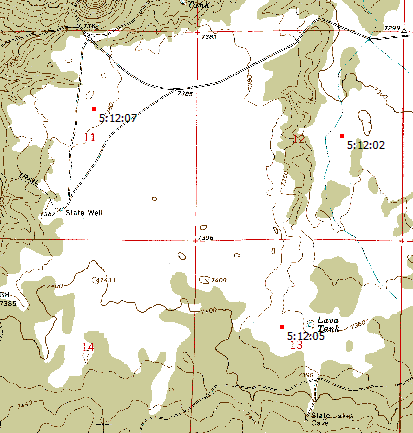
While its primary functions deal with DEM/terrain display and analysis, MicroDEM has some handy cartographic functions as well for any position on a georeferenced map. It can calculate the amount of shift in position between different datums for both UTM and geographic coordinates; determine the current angular variation between true and magnetic north; find the deviation from true north for the UTM grid, and label sunrise/sunset/twilight times for multiple points on a map.
More after the fold …
Open a georeferenced map in MicroDEM using the File => Open image command (also works for a DEM as well); the cartographic functions are then accessible from the Cartography menu.
Cartography => Datum shift: Calculates the datum shift between the default datum and a user-selectable secondary datum. The default datum for MicroDEM is WGS84, but this can be changed in the program’s Options section. Selecting this menu item first brings up a window that lets you choose/verify the secondary datum (default is NAD27, but this can also be changed in the Options section):
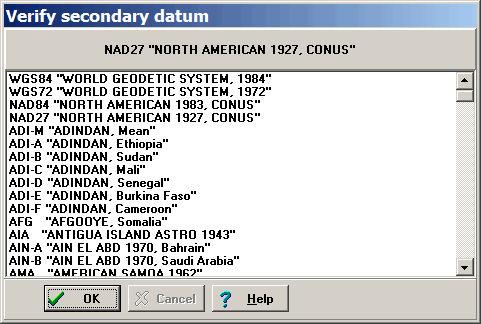
After verifying the secondary datum, you’re given the following options to select from:
- Label Lat/Long difference: Will label the total datum distance shift for lat/long on the map in red
- Label UTM difference: Will label the total datum distance shift for UTM on the map in red
- Label both: Gives datum shift distance for both lat/long and UTM
- No label: Plots nothing on the map
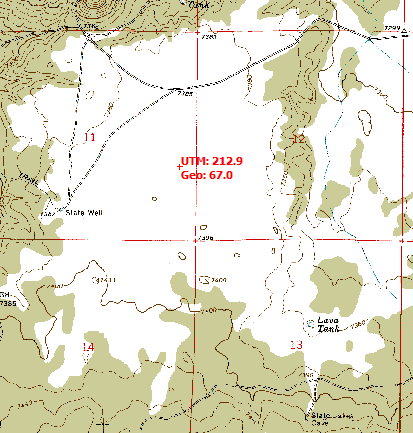
For this example, I’ve selected both. Double-click on the map, and the datum shift for lat/long (GEO) and UTM will be labeled on the map at that point:
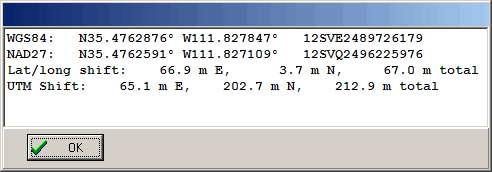
A window will also appear with datum shift data:
Clicking at different points on the map will repeat the process. To erase the labeled points from the map, click on the “Force Redraw” icon on the map window toolbar:

Cartography => Magnetic variation values: Labels selected points with the deviation of magnetic north from true north.
Select this menu item, then double-click on the map to select the desired point; the magnetic variation will be labeled in red on the map. Repeat as often as you like for multiple points; click on “Force Redraw” to wipe out the labels.
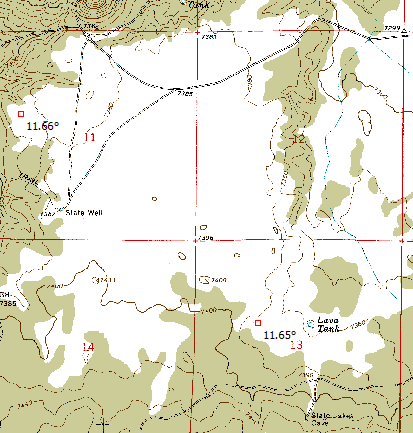
Positive numbers indicate that magnetic north is east of true north, negative west.
There’s also a handy online calculator for magnetic variation at NOAA’s GeoMagnetic Data website.
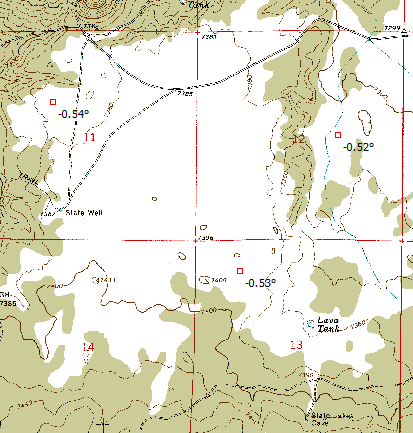
Cartography => UTM grid-true north declination: Plots deviation of UTM grid from true north/south (east/west is always true for UTM). This value will be zero at the center meridian of the UTM zone, and increase as you move east or west of it. Select the menu item, then double-click on the map to select the point and label it with the declination:
Cartography => Sunrise/sunset times: Labels points with sunrise/sunset/twilight times
Select the menu item, and the options window will come up:
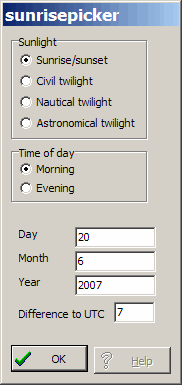
Choose sunrise/sunset or one of the twilight types, and select morning for sunrise, evening for sunset. Default date is the current one, but you can change it to whatever you want. You also need to set your current offset from Universal Time, taking Daylight Savings Time into account if relevant. For this setting, the UTC offset is positive west of the Prime Meridian, which is opposite to the way it’s often treated in other places. When done with the settings, click OK. Then double-click on the map, and the desired time for that point will be labeled in red: